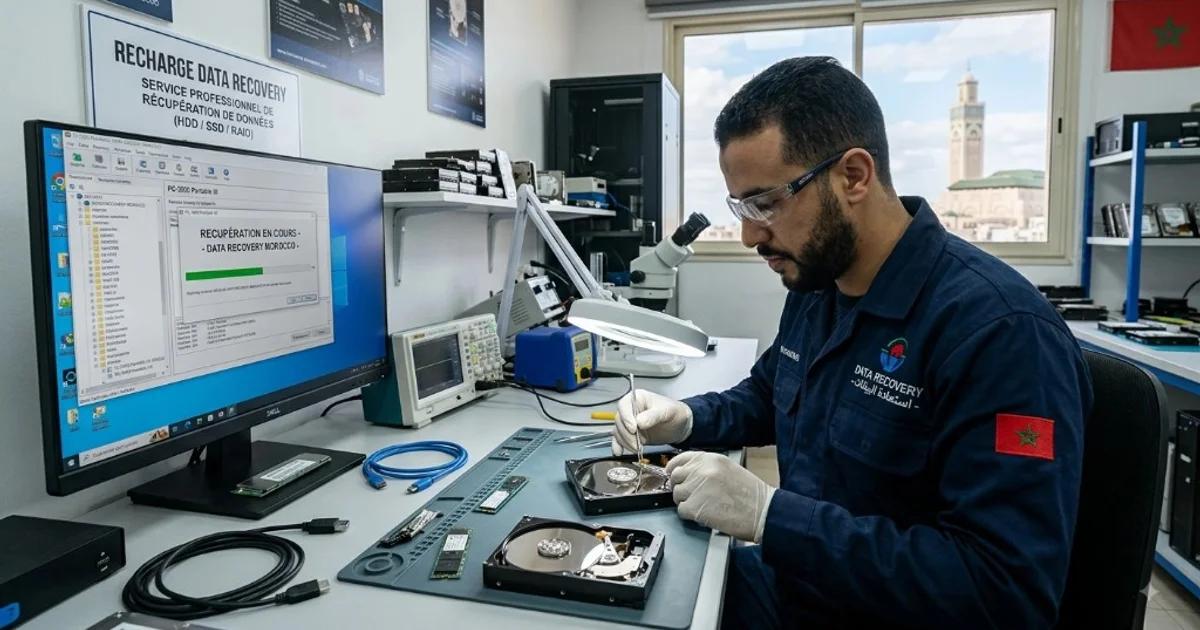
Hard drive and SSD data recovery in Morocco: first actions, HDD vs SSD faults, safe protocol, pay-after-result remote triage, and honest limits — no 100% promises.
Data recovery Morocco searches spike when a laptop stops booting, a NAS beeps, or an SSD disappears from Disk Management. Whether you are a particular in Casablanca or a subsidiary IT lead in Rabat, the first rule is the same: stop writing to the failing device, and get a sober diagnosis before you pay for miracles.
AlloSupport.ma handles remote break/fix triage with pay-after-result where the fault is software-level, and guides physical media cases toward realistic lab paths. We do not promise 100% recovery — no ethical provider should.
Besoin d'aide maintenant ?
Intervention en 15 minutes. Satisfait ou remboursé.
À partir de
250 DH
🔒 Paiement sécurisé • Intervention enregistrée • Confidentialité garantie
This 2026 English guide covers HDD and SSD failure modes, a safe numbered protocol, Do/Don’t rules, and when to escalate. Pair it with récupération de données and computer repair Morocco.
Key takeaways
- Power down clicking, screeching or repeatedly reconnecting drives immediately.
- Logical failure ≠ physical failure — tools differ and DIY can destroy evidence.
- SSD controller issues are not “just run CHKDSK” problems.
- Pay-after-result fits many remote OS repairs; lab recovery is quoted after inspection.
- Never expect guaranteed 100% recovery marketing.
- Subsidiaries should also keep managed backups — see IT support subsidiary Morocco.
Table of contents
- First minutes after data loss
- HDD vs SSD failure modes
- Symptoms vs likely cause table
- Numbered recovery protocol
- When DIY helps — and when it harms
- Pay-after-result vs lab quotes
- Do / Don’t
- Business & subsidiary angle
- FAQ
First minutes after data loss
Panic installs are expensive. If Windows offers “repair”, if macOS wants to initialise a disk, or if a phone-format utility appears — pause. Initialisation and quick formats change structures that recovery tools later need.
Unplug external enclosures gently. Note exact symptoms: not detected, detected with 0 bytes, BSOD, freezing Explorer, SMART warnings, burnt smell, liquid spill. Photos of error screens help remote triage via WhatsApp.
If the machine still boots from another drive, do not install heavy “cleaner” suites on the failing volume. Work from a second disk or a recovery environment whenever possible.
For subsidiaries, freeze write access to shared folders hosted on the suspect NAS. Continuing to save files can overwrite recoverable space.
HDD vs SSD: why data recovery Morocco cases diverge
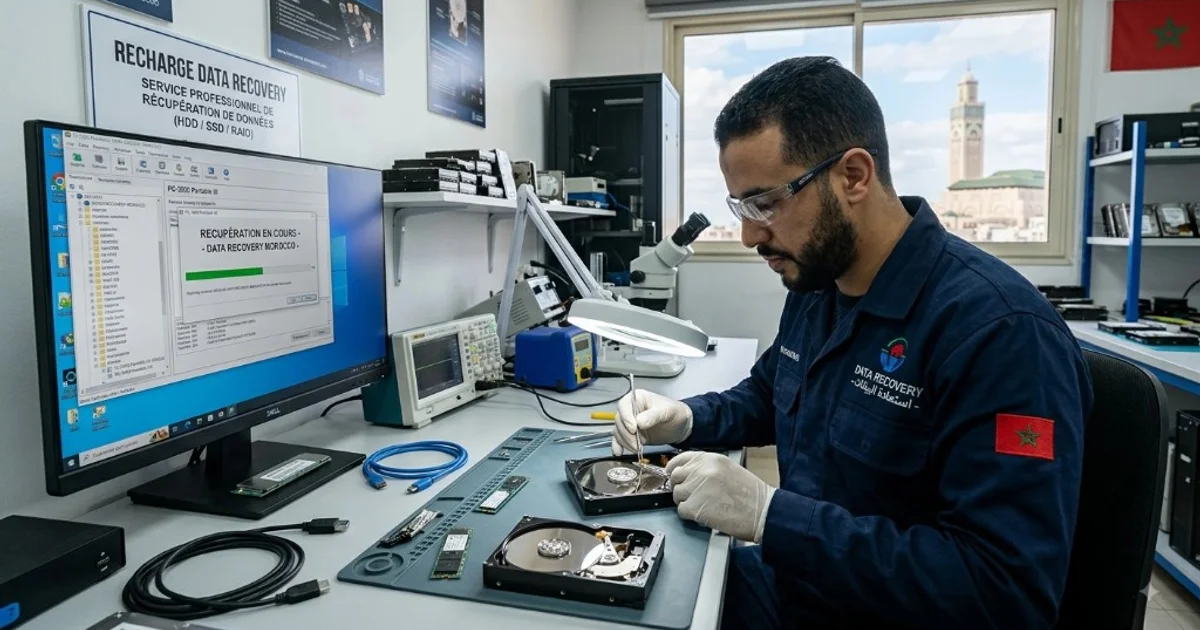
Hard drives combine electronics and moving heads. Logical corruption (file system) may be solvable with imaging and careful software. Mechanical clicks, stuck spindles or head crashes need donor parts and controlled environments — not kitchen-table screwdrivers.
SSDs store data in flash with translation layers. A failed controller can make healthy NAND look empty. TRIM and encryption complicate late recovery. Honest data recovery Morocco advice must separate “clone then carve” from “board-level work”.
USB sticks and SD cards fail at connectors and controllers too. The same stop-writing rule applies. We see many cases after Windows “repair” dialogues that users accepted too quickly.
Hybrid laptops with soldered NVMe modules may require board-level skill beyond standard SATA dock cloning. We say so early instead of burning days on impossible paths.
Symptoms vs likely cause (indicative)
| Symptom | Often points to | First action |
|---|---|---|
| Clicking / grinding HDD | Mechanical heads / media | Power off; no DIY open |
| Drive not detected | Electronics, cable, or dead SSD controller | Try known-good cable/port once |
| Detected, folders empty | Logical / partition table | Image before repair tools |
| Encrypted BitLocker prompt | Key/TPM issue more than “lost files” | Recover recovery key first |
| After flood / tea spill | Corrosion / short | Do not power on wet boards |
This table is indicative, not a diagnosis. Remote questions refine the path; physical inspection decides lab feasibility.
Numbered recovery protocol
- Stop writes — shut down; unmount shares pointing at the volume.
- Capture context — model, capacity, OS, timeline, prior DIY.
- WhatsApp triage — send symptoms; we classify likely logical vs physical.
- Stabilise access path — known-good enclosure/cable only if safe.
- Imaging priority — clone to healthy media before invasive repair when possible.
- Logical recovery attempt — if clone is healthy enough; pay-after-result may apply for remote software cases.
- Lab path — if electronics/mechanics fail; written quote after assessment.
- Verify files — open samples before declaring success; then rebuild backups.
Skipping imaging to “save time” is how partial recoveries become total losses. Patience is cheaper than a second disaster.
When DIY helps — and when it harms
DIY can help for simple undelete on healthy disks with good backups already elsewhere. It harms when people run multiple conflicting recovery tools, format repeatedly, or open sealed HDDs in dusty rooms.
Free tools that write repair logs onto the same failing partition are risky. Always target a second drive for output. If you lack a second drive, buy one before experimenting.
Firmware utilities from random forums have bricked SSDs we later could not help. Prefer manufacturer guidance — and prefer a specialist when the device is business-critical.
Pay-after-result vs lab quotes
Remote diagnosis that restores a bootable system after malware or corrupted profiles often fits pay-after-result: you pay when the agreed outcome is met. That model built trust for everyday computer repair Morocco work.
Physical data recovery is different. AlloSupport accompaniment toward a partner lab is 1,500 MAD; laboratory technical fees are quoted separately. Accompaniment fees remain due even if the lab does not recover the data. Remote software recovery starts from 250 MAD with pay-after-result. Lab timelines depend on the fault and lab analysis — no fixed SLA before inspection. Observed ~92% success on analysed logical-fault cases is historical and not a guarantee, and does not automatically apply to physical or lab cases.
Ask for a written scope: which folders matter most, which dates, whether encrypted. Prioritisation improves odds when only part of the media is readable.
Do / Don’t
Do
- Do power off noisy or clicking drives immediately.
- Do describe symptoms precisely on WhatsApp with photos.
- Do keep BitLocker / FileVault keys offline and printable.
- Do budget a spare disk for imaging output.
- Do rebuild 3-2-1 backups after any scare.
Don’t
- Don’t believe “100% recovery guaranteed” ads.
- Don’t open HDD covers at home.
- Don’t run CHKDSK as a first reflex on dying disks.
- Don’t keep saving files to a vanishing NAS share.
- Don’t delay if the data is payroll or legal evidence — triage early.
Business & subsidiary angle
Foreign subsidiaries lose days when accounting disks die without cloud sync. Managed IT from 1,500 MAD HT/month will not magically recover a smashed drive, but it reduces how often you face that cliff through patching, AV and backup design.
Read IT support for foreign company subsidiaries in Morocco and filiale infogérance if your real need is prevention plus local hands.
For French-language service pages and logistics, /recuperation-donnees remains the hub. This English article exists so international searchers find honest Morocco guidance without hype.
Encryption changes the recovery story. BitLocker, FileVault and hardware-encrypted externals may be intact as ciphertext even when the filesystem looks gone. Without keys, specialists cannot ethically break strong encryption on demand. Store recovery keys offline before the crisis — printouts in a safe still outperform screenshots buried in chat history.
RAID arrays add another layer. A single failed member is not always a full array loss, but DIY rebuilds in the wrong order can finish the job. Tell us the controller brand and whether the array was degraded before anyone clicks rebuild.
Smartphone and tablet storage is outside classic HDD benches, yet the stop-writing principle is identical. If your subsidiary crisis is actually a phone full of WhatsApp exports, say so — the path differs from a 4TB surveillance recorder.
Chain of custody matters for legal or HR disputes. Who handled the drive, when it was sealed, and which tools touched the image should be logged. We can work with counsel-defined procedures when you flag the case as sensitive from the first WhatsApp message.
After any successful recovery, schedule backup remediation within the same week. The emotional relief of opening a recovered folder fades quickly if the only copy sits again on a single ageing disk under a desk in Tangier.
If remote OS repair restores a bootable Windows but files remain missing, we separate those workstreams commercially: boot repair may be pay-after-result; file carving remains its own assessment. Clarity prevents disappointment.
External USB-SATA bridges fail independently of the disk inside. Before condemning a drive, a technician may test the bare SATA/NVMe device on a known-good interface — once, carefully, without hammering repeated power cycles.
Temperature and dust in non-air-conditioned rooms accelerate HDD failure. That is not an excuse to open platters; it is a reason to improve placement and backups before the next summer peak.
Surveillance DVRs and NVR recorders store footage on internal HDDs that spin for years. When the recorder UI shows blank cameras but disks still spin, do not format the array to fix detection. Capture model numbers and RAID mode first. Data recovery Morocco for video evidence often prioritises recent days over the entire archive — tell us your priority window.
Email PST/OST files on dying laptops are another frequent case. Copying a multi-gigabyte Outlook file over flaky Wi-Fi mid-failure can corrupt the only remaining copy. Prefer imaging the disk, then extracting mail from the image on healthy hardware.
Cloud sync does not equal backup. OneDrive or Google Drive versions help when files were synced before failure; they do not resurrect a disk that never completed upload. Check sync status icons before assuming the cloud already saved you.
For encrypted company laptops issued by European HQ, involve HQ identity admins early. Local technicians should not be asked to guess BitLocker keys. Coordination speed often decides whether recovery stays logical or becomes a hardware scramble.
Shipping drives between cities: use anti-static bags, padding, and declare contents honestly to your courier without advertising valuable data on the box. Photograph serial numbers before dispatch. Confirm receipt on WhatsApp.
After lab work, request a file list sample — ten random documents opening correctly beats a folder tree of zero-byte stubs. Verification is part of professional data recovery Morocco practice, not an optional extra.
Solid-state modules soldered to boards may be out of scope for field swaps. We disclose that early. Paying for endless remote attempts will not reball an NVMe — honesty protects your budget.
Time zones help international clients: message AlloSupport during Morocco business hours for fastest WhatsApp triage, or leave a structured night message with device photos, serials and “do not power on” confirmation. Asynchronous intake still beats risky DIY overnight.
If multiple drives failed after the same power event, treat them as a site incident, not three isolated consumer tickets. Coordinated imaging order and UPS review after recovery will matter as much as the files themselves.
FAQ — data recovery Morocco
Can you guarantee 100% data recovery in Morocco?
No honest lab can. Success depends on damage type, prior DIY attempts and media condition. We diagnose first and explain realistic options before paid recovery work.
HDD vs SSD — is recovery different?
Yes. HDDs fail mechanically or logically; SSDs often fail at controller or firmware level and may need specialised board work. Both start with a no-harm assessment.
Should I keep using a clicking hard drive?
No. Power it down. Continued use can destroy remaining readable sectors. Contact a specialist before running random repair tools.
Do you offer pay-after-result for everything?
Remote break/fix diagnosis and many software fixes follow pay-after-result. Physical lab recovery is quoted after inspection because parts and bench time vary.
Which cities do you cover?
Remote triage is nationwide. Logistics for drives typically centre on Casablanca and major cities, with clear shipping or drop-off instructions.
What should I prepare before contacting you?
Device type (HDD/SSD/USB), OS, when failure started, error messages, and whether the drive was dropped or flooded. Then WhatsApp us with photos if useful.
WhatsApp CTA — data recovery triage
Describe the device, symptom and city. We tell you whether remote pay-after-result diagnosis or a lab assessment is the safer next step — with no 100% promise.
Pre-WhatsApp checklist (print or screenshot)
- Device powered off if clicking, burning smell, or repeated reconnect loops.
- Exact model / serial photographed.
- OS and whether BitLocker / FileVault was enabled.
- Last known good backup date (even if incomplete).
- List of must-recover folders ranked by priority.
- City for logistics and whether HQ must approve spend.
Sending that checklist in the first WhatsApp message cuts diagnosis time dramatically. It also signals you are a serious requester — useful when lab queues are busy. For ongoing prevention after the crisis, revisit managed packs on infogérance PME and the English subsidiary guide so the same disk failure does not become a quarterly ritual.
Remember: marketing that guarantees full recovery of every sector on every media type is incompatible with physics. Choose partners who explain uncertainty bands, not those who shout certainty. That is the AlloSupport standard for data recovery Morocco conversations.
Conclusion
Continue with computer repair Morocco, subsidiary IT support, or message us on WhatsApp when the drive must stay powered off.